▶ INSERT COIN TO START

Your whole retro collection.
IN ONE SINGLE APP.

RetroLauncher brings your emulators and retro games into one beautiful, simple app. The launcher your collection deserves.

Free · no ads 100% local & private EN / FR · light & dark

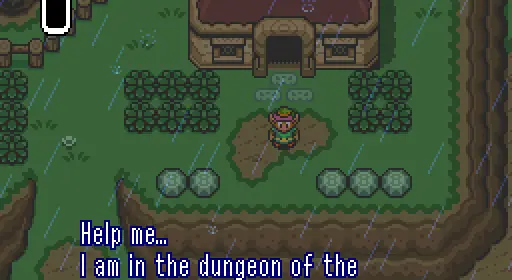
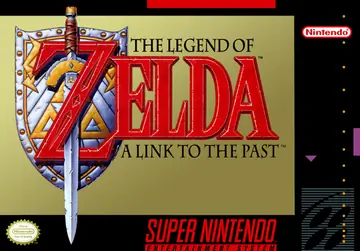
A Link to the Past

SNES1991
100% COVER ART Click the card · next game
One app for all your consoles

Your retro mess. Sorted.

Watch what RetroLauncher does with it.

One single library Zero hassle Just play

POWER-UPS INCLUDED

A modern engine under the hood. Flip through the channels: this is the real app.
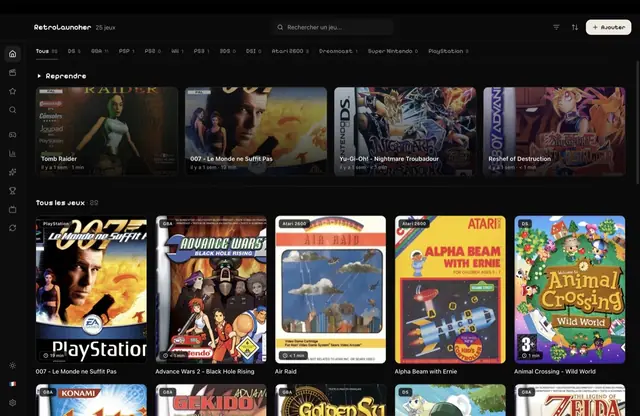
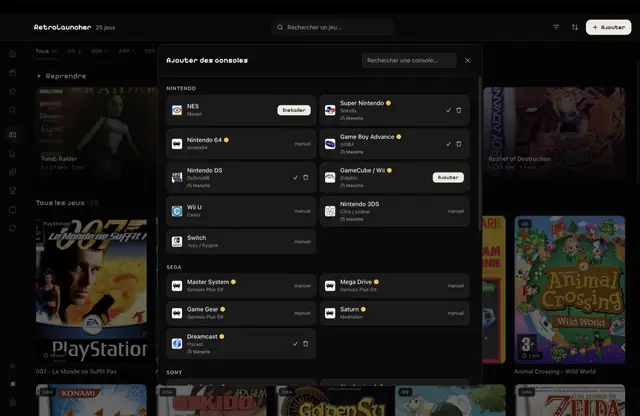
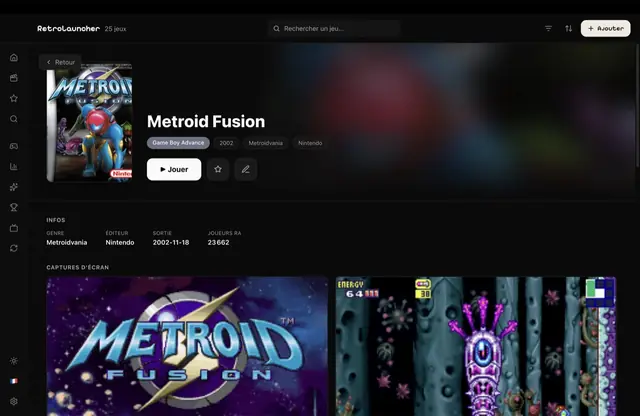
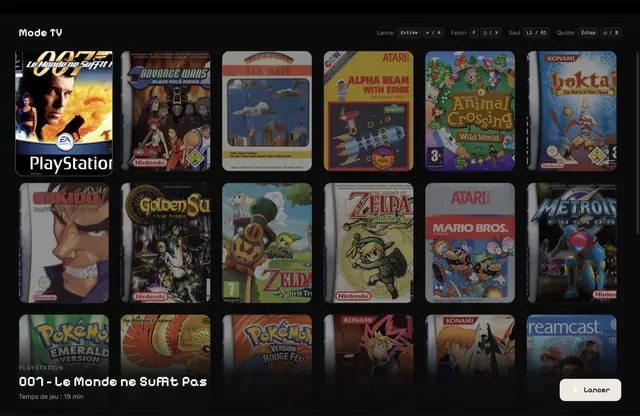
Bibliothèque RetroLauncher : grille de jaquettes de jeux rétro avec l’étagère « Reprendre » en haut Catalogue « Ajouter des consoles » de RetroLauncher, classé par marque, avec installation en 1 clic Fiche de jeu Metroid Fusion dans RetroLauncher : jaquette, bouton Jouer, infos et captures d’écran Mode TV plein écran de RetroLauncher : grandes jaquettes navigables à la manette, jeu sélectionné en avant
01/04

Your library, glorified

Every console and every game in one grid of HD cover art. Pick your game back up right where you left it.

02/04

Emulators in one click

Pick a console: the app downloads the emulator from its official source and sets it up. No file hunting.

03/04

Game page & trophies

HD cover art, screenshots, genre, publisher, year… plus your RetroAchievements trophies, just like on a modern console.

04/04

TV mode & controller

A fullscreen mode you navigate with a controller: your Mac becomes a little living-room console.

RetroAchievements trophies

Connect your account and unlock achievements on your retro games, just like on a modern console. Free.

Every console, on demand

NES, SNES, N64, GameCube, Wii, Game Boy, DS, PlayStation 1·2·3, PSP, Mega Drive, Dreamcast, Atari… Add any console, even your own.

Drag-and-drop & wizard

Drop a ROM, a folder, a .zip or even an emulator onto the window: the app sorts it all out. A wizard guides you on first launch.

Search & filters

Find a game as you type, filter by console, genre or favorites.

Your “Retro Wrapped”

Play time, favorite console, game of the year: your recap, ready to share.

Beautiful in light and dark

Polished interface, CRT hover effect, light/dark themes and bilingual EN/FR.

From zero to “I’m playing” in 2 minutes

1
0:00

Install the app

Download RetroLauncher and open it. A wizard welcomes you and detects what’s already there.

2
0:45

Add consoles & games

Pick your consoles (emulators installed in one click) and drop your own games into the window.

3
2:00

Play

Click a game: it launches fullscreen, controller detected, trophies rolling. That’s it.

FAQ

Select◼
RETROLAUNCHER
Does RetroLauncher provide games and emulators?
No. RetroLauncher is purely an organizer. You use your own games (the ones you legally own), and emulators are downloaded from their official sources. The app distributes no ROMs or games — like LaunchBox or Playnite, only simpler and prettier.
What do I need to run it?
A Mac (Apple Silicon or Intel, macOS 12+), a Windows 10 / 11 PC, or Linux x64. The app is native on every platform, smooth and lightweight.
Is it really free?
Yes, the app is free. An optional Pro tier (cloud save sync, themes…) may come later, but the core experience stays free.
Which consoles are supported?
The great Nintendo, Sony, Sega and Atari classics (NES, SNES, N64, GameCube, Wii, Game Boy/Advance, DS, PlayStation 1·2·3, PSP, Mega Drive, Dreamcast, Saturn…), and you can even add your own console by pointing to any emulator.
How do trophies work?
Through RetroAchievements, a free community service. You connect your account and unlock retro achievements as you play, shown on each game’s page.
Is my data private?
Yes. Your library stays 100% local on your computer: no account, no ads. The app only goes online to fetch cover art, the emulators you install and your trophies. It also sends an anonymous usage counter (a random ID, no game names, no personal data) that you can turn off anytime in Settings.
New phone: do I lose my saves?
No. In the mobile app, Settings → “Switch device”: a 6-letter code moves your in-progress games, trophies and favorites to the new phone — even Android to iPhone. An invisible copy also rides along with the device’s Google / iCloud backup, just in case.

Didn’t find your answer? A question, a bug, an idea?

What players say

Ready to play again?

Get your retro collection back

Download RetroLauncher, add your games, and find all your classics in one place — beautiful and ready to launch.

Free, no ads. On first launch, allow access to your games folder.

Windows may say “this app isn’t commonly downloaded”: the app isn’t signed yet. Only download it from this site or the official GitHub, then click ⋯ → Keep in Edge/Chrome and More info → Run anyway. The .zip portable build is the easiest to open.

Where to get games? One-click emulators, dumping your cartridges, free games — the full guide. Read the guide →